
# Cloud OBS Hosting
Full OBS Studio in your browser
Connect your phone or encoder via RTMP/SRT — Larix, Moblin, Streamlabs — and multistream without installing OBS on your PC.
- Free trial
- Cancel anytime
- SRT & RTMP ingest
- Live in minutes
See it in action
Cloud OBS without installing OBS
Full OBS Studio in your browser
Access the complete OBS Studio interface from your browser, with scenes, sources, and outputs running on cloud servers.

SRT and RTMP ingest
Create ingests, copy your RTMP or SRT keys, and watch the live preview. Monitor bitrate and connection quality from the dashboard.

Want to try cloud OBS?
Start a free trial and go live from the browser in a few minutes.
Web scene editor
Switch scenes instantly. Create BRB, Starting Soon, or Ending screens and add ingests, videos, images, and overlays.

Multistream from one upload
Send one broadcast and reach Twitch, YouTube, Kick, and custom RTMP at the same time.

Why cloud OBS
Your device sends. The cloud produces.
OBS lives in the browser on our servers. You control scenes, overlays, and multistream in one place.
Phone or encoder in
Your phone or encoder sends video. Scenes, overlays, and multistream stay in the cloud — you control everything from the browser.
Cloud OBS Studio
Control scenes, sources, and outputs like OBS Studio — from your browser, on high-performance servers.
SRT and RTMP ingest
Connect Larix, Prism Live, Streamlabs, or your encoder via RTMP or SRT. Works for IRL streams and fixed setups.
One upload, every platform
One signal to the cloud, out to YouTube, Twitch, Kick, and custom RTMP. No duplicate uploads.
Questions about cloud OBS
- Is this just a VM I remote into?
- Some services work that way. Here you get a cloud studio with real scene, source, and output logic — not a random desktop someone RDP'd into.
- Can I still stream from my phone or backpack?
- Yep. Your phone or backpack only sends video. Scenes, overlays, and platform distribution happen in the cloud — less load and battery drain on your device.
- Does multistream use more upload bandwidth?
- Nope. You upload once; we split it to Twitch, YouTube, Kick, and custom RTMP. No duplicate uploads from your device.
- Does cloud OBS stop signal drops?
- It won't fix bad LTE by magic, but it softens the blow. When things get unstable, hold screens and auto reconnect keep the stream alive.
- When should I use RTMP vs SRT?
- RTMP when you need compatibility everywhere. SRT when the network is messy — mobile, bonded backpacks, shaky LTE. Both work as ingest.
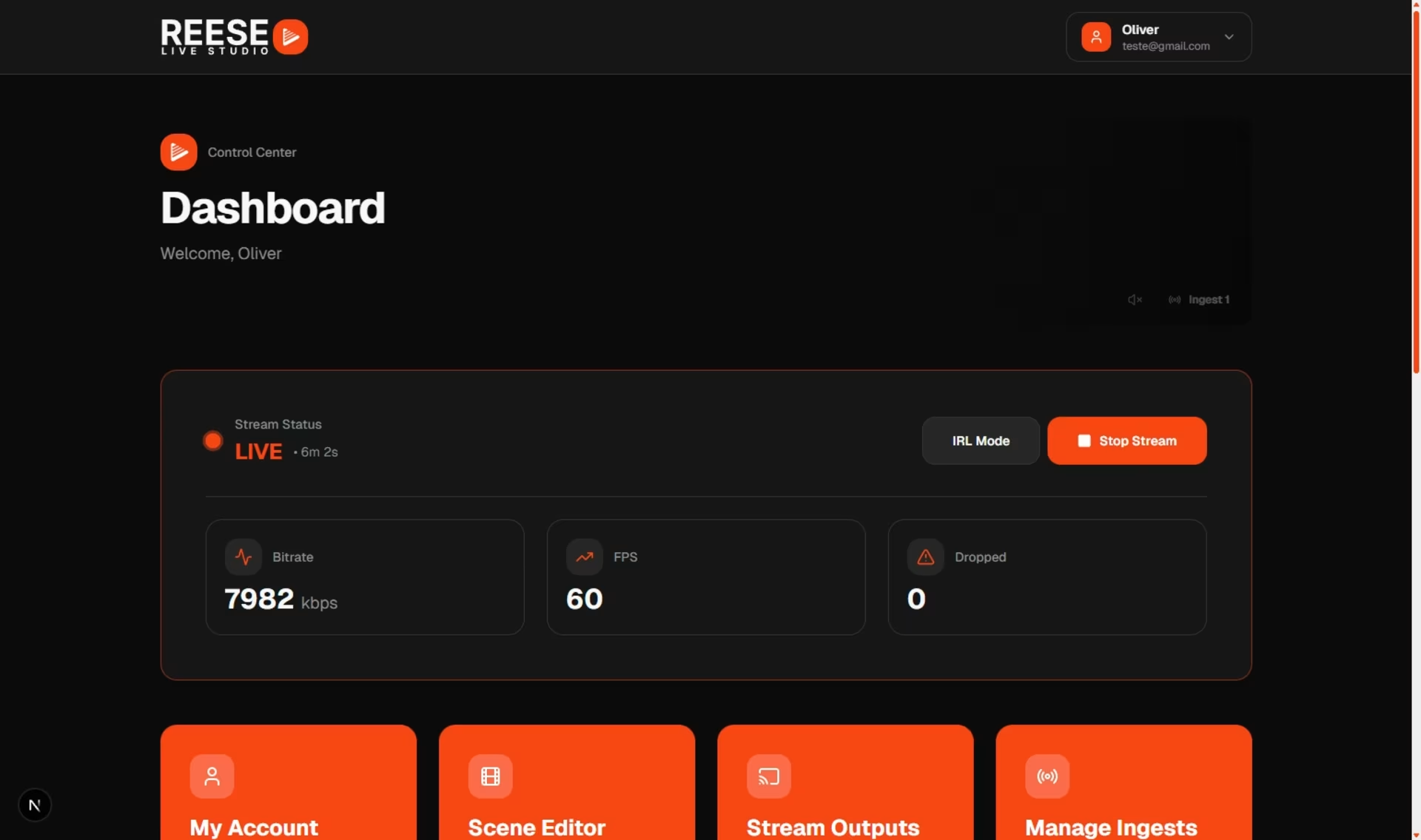
# Cloud OBS
Start free trial
Full OBS in the browser, SRT/RTMP ingest, multistream, and a web scene editor — all controlled from your dashboard.
Cloud OBS · SRT/RTMP · Multistream · Free trial