SRT vs RTMP: Which Protocol Should You Use for IRL Streaming?
Reese Team
Editor at Reese Live
Short answer: SRT is generally the better choice for IRL streaming because it was designed to handle packet loss and unstable networks far better than RTMP. RTMP still works well on wired connections or strong, stable Wi-Fi, but most IRL streamers rely on cellular data. In those conditions, SRT (and especially SRTLA) delivers noticeably more reliable streams with fewer freezes, glitches, and disconnects.
This guide explains what each protocol actually does, how they differ in real-world mobile conditions, when RTMP is still fine, and how to choose the right one for your setup.
What Is RTMP?
RTMP (Real-Time Messaging Protocol) is one of the oldest and most widely supported streaming protocols still in active use. Originally developed by Macromedia for Flash video and later maintained by Adobe, it became the default way to send live video to platforms such as Twitch, YouTube, Facebook, and Kick.
Strengths of RTMP:
Extremely broad compatibility — almost every encoder, camera, drone, and streaming app supports it.
Simple to configure.
Low latency on stable, high-quality connections (home ethernet or strong Wi-Fi).
Mature ecosystem with years of documentation and troubleshooting resources.
The limitation: RTMP was never built for unreliable networks. It has no native packet-loss recovery. When packets are dropped (common on cellular data, public Wi-Fi, or while moving), the stream can freeze, pixelate, or disconnect entirely until the connection stabilizes again. There is also no built-in support for bonding multiple connections.
What Is SRT?
SRT (Secure Reliable Transport) is a modern, open-source protocol created by Haivision and now maintained by the SRT Alliance. It was specifically engineered for the kinds of network conditions IRL streamers face every day: cellular networks, fluctuating public Wi-Fi, and movement between coverage areas.
Key advantages of SRT:
Built-in packet loss detection and real-time retransmission.
Adaptive behavior that adjusts to changing network conditions instead of simply failing.
Encryption and security features by default.
Growing (but still not universal) support across apps and encoders.
SRTLA (SRT Link Aggregation) takes this further. It bonds multiple network connections — for example, two SIM cards, or cellular + Wi-Fi — into a single more resilient stream. This is the technology powering most modern bonded mobile encoders and dedicated IRL apps such as Moblin (iOS) and IRL Pro (Android).
Practical Comparison: RTMP vs SRT
Aspect | RTMP | SRT / SRTLA |
|---|---|---|
Latency | Low on stable networks | Low (small buffer for error correction) |
Stability on mobile/cellular | Weak — no packet-loss recovery | Strong — retransmits lost packets |
Connection bonding | None | Yes (via SRTLA) |
App & device support | Near-universal | Growing rapidly (native in modern IRL apps and many encoders) |
Best use case | Wired or strong Wi-Fi, simple OBS setups | Cellular, mobile, unpredictable networks, bonded setups |
Error recovery | None | Active retransmission and adaptation |
Security | Optional / limited | Built-in encryption options |
How This Applies to IRL Streaming
If you stream from a fixed location with a strong, stable connection (studio, home office with ethernet), RTMP is usually perfectly adequate and simpler to set up.
The moment you leave that environment — walking, driving, using a phone hotspot, or relying on public networks — the difference becomes clear. RTMP has no mechanism to recover from even brief packet loss. SRT does. That is often the difference between a short visual glitch and the stream freezing or dropping entirely.
This is why dedicated IRL tools default to SRT or SRTLA. The developers of apps like Moblin and IRL Pro designed them around real-world mobile conditions rather than ideal studio networks.
How REESE Live Handles RTMP and SRT
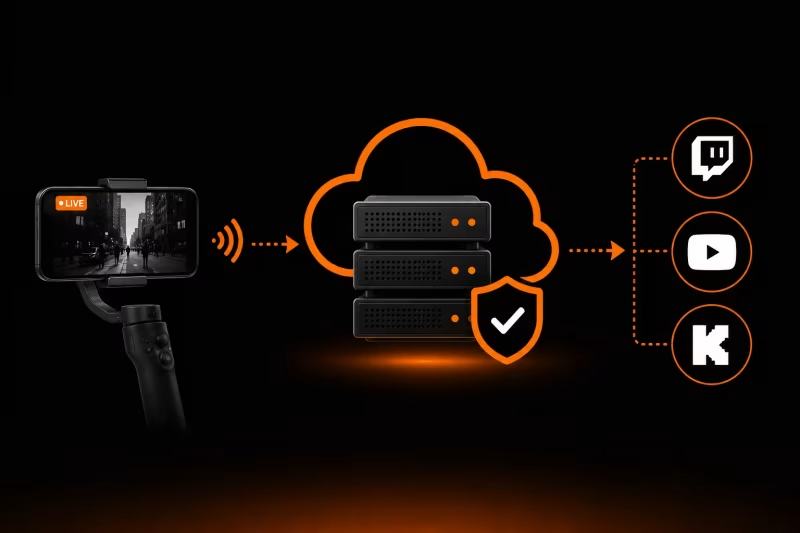
REESE Live accepts both RTMP and SRT as ingest protocols, so you are not locked into a single workflow.
Streaming from OBS Studio or a computer on a stable connection? RTMP works immediately with no extra configuration.
Streaming from a phone, a bonded encoder, or any mobile setup? SRT (or SRTLA when supported by your device) gives you stronger protection against packet loss before the stream even reaches the servers. Drop protection on the REESE Live side then handles anything that still gets through.
You can switch between the two protocols based on your current connection without changing destinations or rebuilding your entire setup.
Conclusion and Recommendation
Simple wired or strong Wi-Fi setup → RTMP is fine and the easiest option.
Any form of mobile or IRL streaming (walking, driving, cellular data, unpredictable networks) → Switch to SRT or SRTLA as soon as your encoder or app supports it. The stability improvement is one of the highest-leverage changes you can make.
For most serious IRL streamers in 2026, SRT/SRTLA has become the standard choice for the field connection precisely because of how it performs on cellular networks.
Frequently Asked Questions
Does SRT add noticeable latency compared to RTMP?
Usually not. SRT uses a small buffer for error correction, but the difference is typically a fraction of a second and is rarely noticeable in practice. The gain in stability far outweighs the minimal latency cost for most IRL use cases.
Can I switch between RTMP and SRT without rebuilding my whole setup?
Yes. Most modern encoders and apps let you change the protocol in the output settings. Services that accept both (including REESE Live) allow you to switch based on your current network conditions.
Is SRTLA the same as SRT?
No. SRTLA is an extension of SRT that adds link aggregation (bonding multiple connections). Regular SRT works over a single connection; SRTLA combines several for greater resilience.
Which protocol do most professional IRL streamers use?
The majority of serious mobile/IRL setups today use SRT or SRTLA for the connection from the field, because of its superior performance on cellular networks.
Does OBS Studio support SRT natively?
Yes. Native SRT output has been available since OBS 28 (2022). No third-party plugins are required.
Want a server that accepts both RTMP and SRT reliably, with drop protection built in? Create your REESE Live account and set up your stream in minutes.
Read next
View all posts
OBS Studio: The Complete Guide to the Best Free Live Streaming Software (2026)
This guide covers what OBS actually does, why it's one of the best free encoders for live streaming, what hardware it needs, what devices and operating systems it supports, and how to configure it correctly for your first stream.
What Is an Ingest Server? The Key to Stable IRL Streaming
Learn how an ingest server keeps your IRL stream stable, protects against connection drops, and powers advanced features like Cloud OBS, multistreaming, and remote production.

How to Stream on Twitch and YouTube at the Same Time
How to broadcast on Twitch and YouTube in the same live stream, manage both chats, and avoid overloading your PC or internet.