What Is an Ingest Server? The Key to Stable IRL Streaming
Reese Team
Editor at Reese Live
What Is an Ingest Server and Why You Need One for IRL Streaming
If you've searched "IRL streaming server" or "cloud OBS" trying to understand why so many streamers rely on this kind of service, the short answer is: an ingest server is the intermediate point that receives the signal from your camera or phone and delivers a stable broadcast to Twitch, YouTube, or Kick — even when your internet fails along the way.
In this post, we'll explain what this server is, how it works in practice, and why it has become a core part of any serious IRL streaming setup.
What an ingest server is
"Ingest" simply means the process of receiving a video signal. In the context of streaming, an ingest server is a machine — usually cloud-based — that waits to receive the video coming from your phone, camera, or encoder, before that video reaches your audience.
Think of it as the "midfield" of your stream: your phone sends the signal to this server, and the server is responsible for processing, stabilizing, and relaying that signal to the final platform. It can receive video through protocols like RTMP, SRT, or SRTLA, and it usually also offers a production layer — essentially an OBS running in the cloud, with scenes, overlays, and source switching.
Why IRL streaming needs this
Traditional streaming (from a PC, gaming at home) has a huge advantage: stable, wired internet with no interference. IRL streaming is the opposite — you're walking down the street, at an event, inside a car, relying on cellular data or public Wi-Fi. Under these conditions, any connection hiccup can:
Drop the live broadcast mid-stream
Split the VOD into multiple pieces (terrible for anyone watching later)
Cause that awful stutter that makes viewers leave the stream
An ingest server solves this because it sits between you and the platform. If your phone loses signal for a few seconds, it's the server — not Twitch or YouTube directly — that absorbs that instability. With the right settings (like buffering and drop protection), it can keep the broadcast live through a momentary drop, showing a "BRB" (be right back) scene instead of simply cutting the stream.
How this applies to IRL streaming in practice
In the day-to-day of an IRL creator, the workflow usually looks like this:
You stream from your phone (using apps like Moblin or IRL Pro) or a dedicated encoder, using SRT/SRTLA for better stability.
That signal reaches the ingest server in the cloud.
The server processes the video — applying overlays, switching scenes, mixing audio — much like a full OBS instance running remotely.
From there, it distributes the final broadcast to one or several platforms (Twitch, Kick, YouTube) simultaneously.
This also unlocks features that would be impossible running OBS locally on a phone: multistreaming to multiple destinations, more robust production with multiple video sources, and the ability for a moderator or producer to control the live remotely while you focus on streaming.
How REESE Live handles this
REESE Live works exactly as this kind of ingest server — built to be simple to set up and resilient to the real-world conditions of IRL streaming. It receives your signal via RTMP or SRT, offers a cloud production layer (what we call Cloud OBS), and keeps your broadcast live even when your connection fluctuates, thanks to drop protection. All of this without requiring a powerful PC running at home — the heavy processing happens on the server, not on your device.
Conclusion
If you're just starting out in IRL streaming and still stream straight from your phone to the platform, an ingest server is the natural next step once broadcast stability starts to matter — whether because you already have an audience, or because you're tired of losing minutes of live footage every time the signal drops. For those who already run a more advanced setup, with multiple cameras or elaborate production, an ingest server stops being optional and becomes the foundation of everything else.
Frequently asked questions
Do I need an ingest server if I'm only streaming from my phone? It's not mandatory, but it's highly recommended if you do long streams, stream on the move, or rely on unstable cellular networks. It drastically reduces the chances of your stream dropping.
Is an ingest server the same thing as Cloud OBS? They're closely related but not identical. The ingest server is the part that receives the signal; Cloud OBS is the production layer (scenes, overlays, transitions) that usually runs alongside it, on the same server.
Which protocol should I use to send the signal to the ingest server? It depends on your setup — SRT and SRTLA tend to be more stable on mobile networks than RTMP. We'll break down that comparison in the next blog post.
Does an ingest server increase my stream's latency? There's a small increase, since the signal passes through an intermediate point before reaching the platform. In practice, this delay is usually just a few seconds — a small price for the stability gained.
Want to see how an ingest server built for IRL streaming works? Create your REESE Live account and set up your stream in minutes.
Read next
View all posts
OBS Studio: The Complete Guide to the Best Free Live Streaming Software (2026)
This guide covers what OBS actually does, why it's one of the best free encoders for live streaming, what hardware it needs, what devices and operating systems it supports, and how to configure it correctly for your first stream.
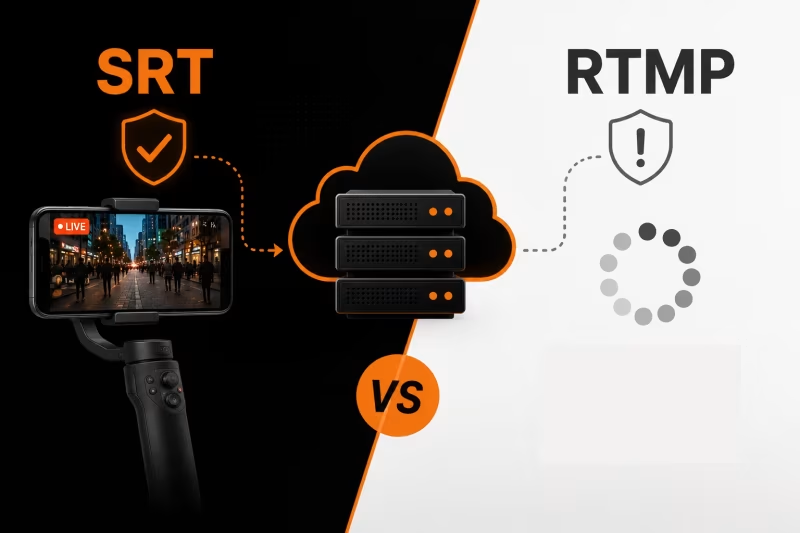
SRT vs RTMP: Which Protocol Should You Use for IRL Streaming?
RTMP or SRT—which protocol is best for IRL streaming? Learn the key differences, why SRT performs better on mobile networks, when RTMP still makes sense, and how to choose the right option for a more stable stream with fewer disconnects.
How to Stream on Twitch and YouTube at the Same Time
How to broadcast on Twitch and YouTube in the same live stream, manage both chats, and avoid overloading your PC or internet.